Is CTRTool a Fit for AI Traffic CTR Campaigns?
AI Overviews now answer search queries before anyone clicks a blue link. If your pages are cited there, the click and the credit often go to whichever source the answer surfaces first. Getting cited, and staying cited, is the campaign you are actually running.
This article answers whether CTRTool fits that job: what its AI Overview campaigns do, how source links and citation order are tracked, and how screenshot proof, device control and location targeting work in practice. You will also see pricing, trust signals and who benefits most, so you can decide before spending a credit.
What Is CTRTool and What Does It Do?
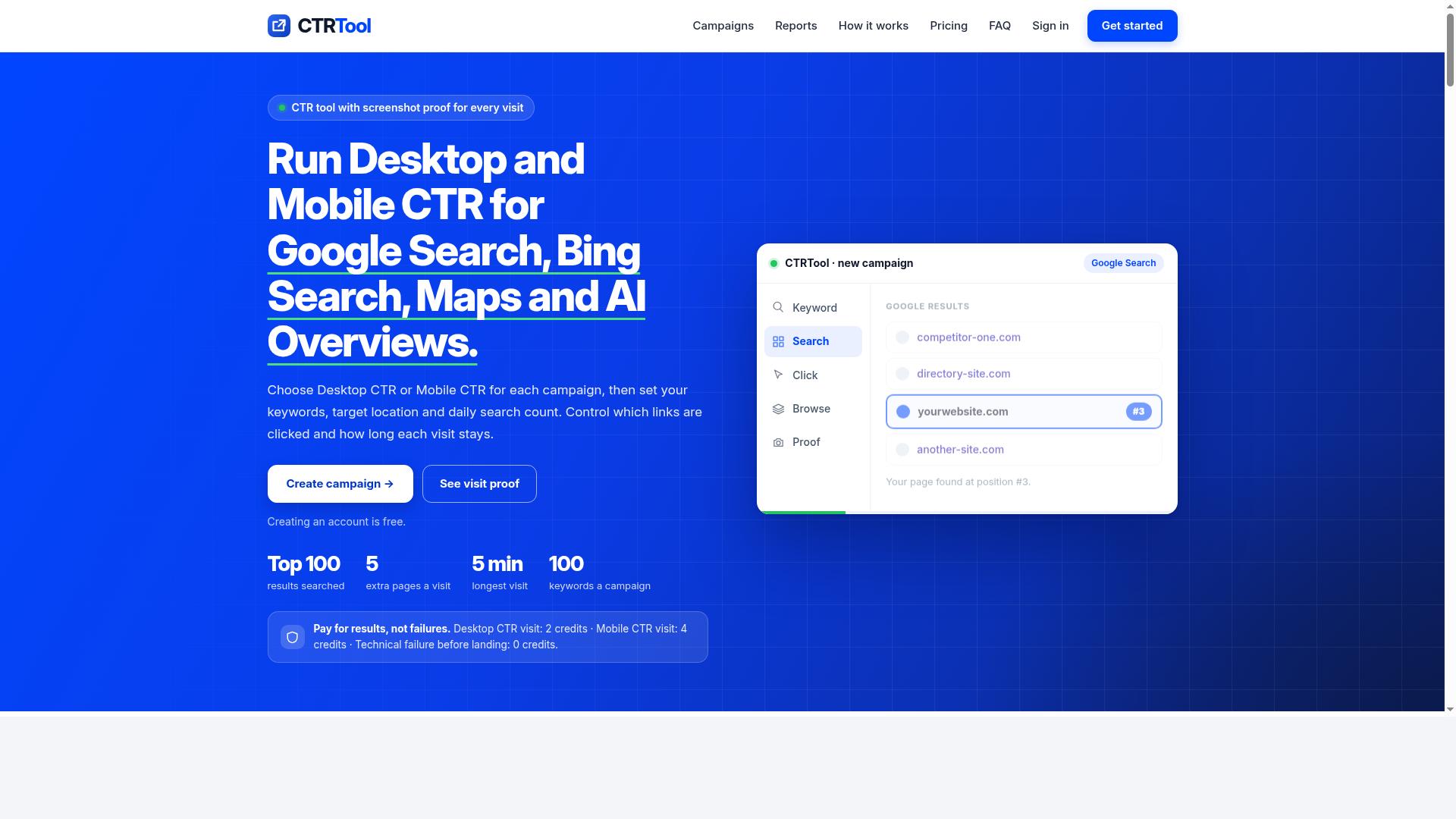
CTRTool is a SaaS platform that runs click-through-rate (CTR) campaigns across Google Search, Bing Search, Google Maps, and AI Overviews, providing screenshot proof for every visit. It is positioned as a CTR tool with proof for every visit, so each campaign can be checked against a visual record rather than taken on trust.
In practice, that means the tool runs visits on the surfaces where visibility matters most, then documents what happened. Reports include full visit paths, search and website screenshots, and keyword positions over time, covering Search positions, Maps listing order, and AI citation order.
The sections below break down the four campaign types, the audience the platform is built for, and whether this makes sense for AI traffic CTR work specifically.
Campaign Types: Google Search, Bing Search, Maps and AI Overviews
CTRTool offers four distinct campaign types: Google Search CTR, Bing Search CTR, Google Maps CTR, and AI Overview CTR.
- Google Search CTR: a keyword is searched and an organic result is clicked, on Desktop or Mobile, within the Top 100 results, with internal pages supported.
- Bing Search CTR: the same keyword-and-click flow applied to Bing.
- Google Maps CTR: the business listing is found and its website link clicked, with up to 50 listings checked and city targeting available.
- AI Overview CTR: the website is found in the overview and its source link clicked, with source links and citation order as the tracked outcome.
The AI Overview option is the one most relevant to this article. It depends on a matching source link, so the campaign only makes sense when the page already appears as a citation in the overview.
Campaign setup adds location and timing control. You can target a chosen country, state, and city, or select Any country for a mix of supported locations, and each campaign supports up to 100 keywords.
Who CTRTool Is Built For
CTRTool is designed for SEO practitioners and agencies running CTR campaigns for their own or client websites across Google Search, Bing Search, Google Maps, and AI Overviews.
That audience shapes how the platform is meant to be used. The site's own guidance advises: Start with tier links, PBNs and test properties. Use CTR on main sites with caution. In other words, the tool assumes users understand tiered link structures and are comfortable testing on lower-risk properties first.
For agencies, the appeal is the split between self-managed and client work. A campaign can be set up for your own site or for a client's, and the screenshot proof attached to every visit gives something concrete to review when a client asks what was delivered.
Practitioners working alone benefit from the same reporting trail. Visit paths, search and website screenshots, and position tracking over time let a single operator verify outcomes without manual spot checks.
It is not a general-purpose traffic or monetization product. The focus stays on organic click behavior and its documentation, which is why the audience is narrow and specific rather than broad.
Is CTRTool a Fit for AI Traffic CTR Campaigns? The Direct Answer
Yes, CTRTool is a fit for AI traffic CTR campaigns because it offers a dedicated AI Overview campaign type that requires a matching source link and tracks AI citation order. That puts this campaign format inside the product suite itself, rather than leaving it to generic click-through rate tools.
The source link requirement matters for anyone thinking about traffic quality. AI Overview campaigns need a matching source link, which ties each campaign to the specific page you want cited in AI-generated answers. For publishers and marketers watching organic traffic shift toward artificial intelligence surfaces, that structure keeps the work tied to a real destination.
It also helps that one balance covers all campaign types, with support for up to 100 campaigns and 100 keywords per campaign. If AI Overview campaigns are one part of a broader campaign optimization plan, the same account can hold them alongside other formats. Daily goals reset at 00:00 UTC, so pacing stays predictable across every campaign you run.
The verdict is straightforward: CTRTool treats AI traffic as a first-class campaign category, not an afterthought. If your engagement metrics and AI citation visibility are part of your strategy, the dedicated campaign type, source link requirement, and citation order tracking make it a reasonable fit. Keep in mind that CTRTool explicitly does not guarantee higher rankings, leads or sales, so treat these campaigns as a tool for structured CTR activity rather than a promise of outcomes.
How CTRTool's AI Overview CTR Campaigns Work
CTRTool's AI Overview CTR campaigns are built around a matching source link and AI citation order tracking. The workflow is built around a single, traceable chain: a campaign, a matched source link, and measurable results.
Setup follows a logical sequence that keeps every campaign accountable to real evidence:
- Create the campaign and assign the website and keyword you want to influence.
- Provide the source link that matches the page cited in the AI Overview.
- Run the visits and review the proof captured for each one.
- Track citation order over time to judge whether the campaign moved position.
What separates this from blind click tools is the proof layer. CTRTool captures search and landing screenshots as separate proof images for every visit, along with full visit paths. Each visit can last up to 5 minutes and include up to 5 additional internal pages.
The credit model also supports honest testing. You pay for results, and no credits are charged for technical failures that occur before landing. Visits that cannot verify the requested location also use no credits, so a failed attempt does not quietly drain your balance.
Matching Source Links and Tracking AI Citation Order
To run an AI Overview campaign, CTRTool requires a source link that matches the cited page, and it tracks the AI citation order over time. That pairing is the core of the method: the link anchors the campaign to the right citation, and the tracking shows whether the position actually shifts.
Tracking is where the value sits for anyone running AI traffic campaigns. Keyword positions are tracked over time, and that includes AI citation order alongside Maps listing order. Instead of guessing whether a citation climbed, you get a recorded position you can compare across the life of the campaign.
Measurement works best when you treat it as a series of checkpoints rather than a single reading:
- Record the citation position before the campaign starts.
- Review position at consistent intervals while visits are running.
- Compare the trend against the screenshots and visit paths captured for each session.
This matters because click-through rate in AI Overviews is tightly tied to placement. A citation buried below others draws fewer eyes, and fewer eyes mean less organic traffic reaching your landing page. Watching citation order gives you a direct read on that dynamic.
Practical scale helps here. CTRTool supports up to 100 campaigns with 100 keywords each, and one credit balance is shared across all campaign types, websites and keywords. That means you can track several citations in parallel without juggling separate accounts or budgets. Unused credits roll over while you are subscribed, which suits the slow, observational rhythm that AI citation tracking demands.
The result is a campaign structure where matching, proof and position tracking reinforce each other. You know which citation you targeted, you can see the visits that ran, and you can follow the position as it changes. For a marketer weighing whether CTRTool fits AI traffic CTR work, that traceable loop is the strongest argument in its favor.
Key Features That Make CTRTool Stand Out
CTRTool distinguishes itself with screenshot proof for every visit, full visit paths, and granular controls for device type, location, and daily search counts. Those three elements, proof, control, and transparency, form the backbone of how the platform approaches CTR campaigns.
For anyone running AI traffic campaigns, the question is rarely whether clicks can be generated. It is whether each visit can be verified, shaped to match a real audience, and audited after the fact. CTRTool builds its feature set around that exact concern.
The differentiators are concrete rather than vague:
- Screenshot proof for every visit, with search and landing screenshots supplied as separate images
- Full visit paths showing the sequence of actions a visit followed
- Keyword position tracking over time, including Maps listing order and AI citation order
- Campaign controls for device type, location, and daily search counts
The first two features are covered in the next subsection, while the control layer gets its own treatment after that.
Screenshot Proof and Full Visit Paths
Every CTRTool campaign visit generates separate search and landing screenshots as proof, along with a full visit path. This matters because click fraud and bot traffic are persistent worries in any paid traffic arrangement, and unverifiable clicks are hard to defend.
The two screenshots serve different purposes. The search screenshot captures the query and the result that was clicked, while the landing screenshot confirms the destination page actually loaded. Splitting them into separate images means each stage can be checked on its own rather than taken on trust.
The visit path adds sequence to the evidence. It records the order of actions within a visit, which helps when reviewing user behavior and judging whether a session looks like a plausible journey rather than an isolated hit. Reports bundle full visit paths, search and website screenshots, and keyword positions over time.
Position tracking rounds out the picture. CTRTool tracks keyword positions over time, including Maps listing order and AI citation order, so teams can watch how visibility shifts alongside campaign activity. For AI traffic work in particular, citation order is a useful signal because placement inside an AI Overview is not the same as a traditional blue link.
Proof is available for every visit, not a sample. That consistency is what makes the reporting usable for attribution modeling and for conversations with clients or stakeholders who want evidence rather than summaries.
Desktop vs Mobile Control, Location Targeting and Daily Search Counts
CTRTool lets users choose Desktop CTR or Mobile CTR per campaign, target specific countries, states, and cities, and set daily search counts to control campaign intensity. These settings decide how closely a campaign mirrors the audience it is meant to represent.
Device choice is a per-campaign decision. Desktop delivery runs through Desktop Chrome windows, while mobile delivery uses real Android phone sessions matched to the target location through managed proxy routes. That distinction matters for engagement metrics such as bounce rate and session duration, since desktop and mobile visitors often behave very differently.
Location targeting goes from broad to narrow. A campaign can target a chosen country and optionally a state and city, or use "Any country" when geography is not a constraint. Visits that cannot verify the requested location use no credits, which keeps spend tied to what was actually delivered.
Daily search counts set the tempo. Users configure daily goals with now, spread out, or gap timing, plus days, hours, and a time zone, and daily goals reset at 00:00 UTC. Additional setup options include search depth up to 100, target URL and internal page URLs, link text, click order, scrolling time, and up to five additional pages per visit, with visits lasting up to five minutes in total.
Together these controls support disciplined campaign optimization. Instead of a single blunt setting, teams can align device, geography, and pacing with the audience they are trying to reach, then review the proof and position data afterward.
Pricing and Plans
CTRTool offers monthly plans in USD: Starter at $59 per month for 2,000 credits (up to 1,000 Desktop CTR visits or 500 Mobile CTR visits) and Growth at $125 per month for 5,000 credits (up to 2,500 Desktop or 1,250 Mobile visits). Both tiers keep the entry cost low enough to test CTR campaigns on AI traffic before committing to a larger budget.
The structure is credit-based, and credits are consumed by campaigns. Because a Desktop CTR visit costs 2 credits and a Mobile CTR visit costs 4 credits, the same credit balance buys different visit volumes depending on device mix. That distinction matters for anyone running audience targeting across screens.
| Plan | Monthly Price | Credits | Up to Desktop Visits | Up to Mobile Visits |
|---|---|---|---|---|
| Starter | $59 | 2,000 | 1,000 | 500 |
| Growth (Recommended) | $125 | 5,000 | 2,500 | 1,250 |
| Scale | $399 | 20,000 | 10,000 | 5,000 |
| Agency | $699 | 40,000 | 20,000 | 10,000 |
Two larger tiers exist for heavier campaign volumes. Scale is $399 per month for 20,000 credits, and Agency is $699 per month for 40,000 credits. Growth carries a Recommended label, which suggests it is the middle ground the provider expects most campaigns to start with.
Credit accounting is not purely visit-based. A verified search without a match costs 1 credit, and a technical failure before landing costs 0 credits. That means traffic quality problems do not silently drain the full visit cost, which is a reasonable safeguard for campaign optimization work.
Unused credits roll over while the subscription is active and expire when cancellation takes effect. Creating an account is free, and custom development carries a separate, agreed one-time fee. The site also lists limited launch pricing, with prices rising 30% on November 15, so current rates may not hold indefinitely.
For an AI traffic CTR campaign, the plan choice comes down to device mix and volume. A campaign weighted toward Mobile visits will exhaust credits roughly twice as fast as a Desktop-only setup, so budgeting for mobile-heavy targeting requires the larger tiers or a tighter visit count.
Trust Signals: Proof, Credits and Transparency
CTRTool builds trust through screenshot proof for every visit, a credit-based system that makes costs predictable, and transparent campaign tracking that includes keyword positions and AI citation order. For anyone weighing whether the tool fits AI traffic CTR campaigns, these signals are the part that matters most.
AI traffic is often hard to verify. A click-through rate can look healthy while the underlying visits are vague or unverifiable. CTRTool addresses that gap by making each visit documented and inspectable rather than assumed.
The core proof is simple: every visit comes with a screenshot. Search and landing screenshots are supplied as separate proof images, so a campaign owner can see both how the visit was initiated and what the visitor landed on.
Proof alone is not enough without context, and CTRTool adds that too:
- Full visit paths show where each visit went, not just its starting point
- Keyword positions tracked over time, including Maps listing order and AI citation order
- Location verification, where visits that cannot verify the requested location use no credits
That last point matters for trust. If a visit cannot be confirmed against the requested targeting, the platform does not quietly charge for it. For AI traffic campaigns where citation order and geographic relevance shape outcomes, that kind of accountability is a meaningful safeguard.
The pay-for-results credit model is where transparency becomes financial. Credits are not charged for technical failures that occur before landing, which means a broken visit does not become a billed visit.
Credits are also structured for clarity across campaign types. One credit balance is shared across all campaigns, websites and keywords, so there is no scattered accounting to reconcile. Unused credits roll over while the subscription stays active, and the platform supports up to 100 campaigns with 100 keywords each.
Visits can run up to 5 minutes with up to 5 additional internal pages, giving campaign owners a defined scope for what a single credit covers. This is predictable cost control rather than open-ended spend, and it lets teams plan AI traffic CTR campaigns against a known unit of work.
Transparency also extends to the site itself. CTRTool publishes legal notices and terms of use, so the commercial terms, the credit rules and the boundaries of the service are stated openly rather than buried.
For a buyer assessing a CTR campaign tool, that combination is the real answer to the fit question. Screenshot proof, tracked keyword and citation positions, a results-based credit model and stated terms together make CTRTool a credible fit for AI traffic CTR campaigns, because the evidence trail exists before anyone has to take a claim on faith.
Who Should Use CTRTool for AI Traffic Campaigns
CTRTool is best suited for SEO practitioners and agencies who need to influence AI Overview citations and require verifiable proof of each visit for their own or client websites. These are teams already comfortable with click-through rate work on Google Search, Bing Search and Google Maps, and who now want the same discipline applied to AI traffic.
The fit is tightest for practitioners running AI traffic campaigns that depend on citations rather than just impressions. An AI Overview citation can send qualified organic traffic to a landing page, and that visitor often behaves differently from a standard search click. For agencies, the challenge is proving the visit happened at all.
This is where the AI Overview campaign type and citation tracking matter. They give practitioners a defined campaign structure for AI surfaces and a way to follow which citations are being earned. That combination turns a vague claim about visibility into something a client can review.
The need for proof is the deciding factor. If a practitioner cannot show a verifiable record of each visit, an AI traffic campaign becomes hard to defend in a reporting call. CTRTool's citation tracking and campaign structure address that gap directly.
- SEO practitioners managing their own sites and wanting citation visibility in AI Overviews.
- Agencies running campaigns across client properties and needing per-visit evidence.
- Teams already active on Google Search, Bing Search and Google Maps who want AI surfaces added to the same workflow.
- Practitioners using tier links, PBNs and test properties who want those setups tracked rather than assumed.
It is a weaker fit for someone who only wants raw ad impressions or broad traffic volume. Traffic quality and citation proof are the point here, not sheer numbers. Practitioners focused purely on ad networks or publisher revenue models are outside the core audience.
For those in the target group, the value is straightforward. The AI Overview campaign type and citation tracking give SEO practitioners and agencies a defensible way to run AI traffic campaigns and report on them with evidence.
Final Verdict: Is CTRTool the Right Fit?
CTRTool is the right fit if you need a CTR campaign tool with screenshot proof, AI Overview support, and granular controls for device, location, and daily search counts. Those three strengths cover the core concerns of anyone running AI traffic CTR campaigns: verifying that clicks actually happened, adapting to how AI-driven search surfaces display results, and keeping tight command over how a campaign behaves.
The screenshot proof element matters most for accountability. When you are spending budget on click-through rate campaigns, being able to review evidence of the clicks themselves turns a vague trust exercise into something you can check. That is a meaningful advantage for teams that treat campaign optimization as a discipline rather than a gamble.
AI Overview support speaks directly to where search is heading. As artificial intelligence reshapes the results page, campaigns built only for traditional listings risk missing a growing share of ad impressions and organic visibility. CTRTool is positioned for that shift rather than against it.
Granular controls round out the picture. Device, location, and daily search count settings give you the levers to shape audience targeting and pacing without guesswork. For practitioners who care about traffic quality and steady delivery, that level of control is the difference between a blunt instrument and a precise one.
Support and access are straightforward. The FAQ lists vaibhav@autoblogging.ai as the support email, and the official website offers Sign in and Create an account options alongside Support, Terms of use, and Legal notices pages. Nothing about the setup feels opaque.
Who should choose CTRTool? The clearest match is the SEO or marketing professional running CTR campaigns who wants verifiable proof of clicks, readiness for AI Overview results, and fine control over targeting and daily volume. If those priorities describe your workflow, CTRTool is a confident yes.
Frequently Asked Questions
What exactly does CTRTool do for AI traffic CTR campaigns?
CTRTool runs CTR campaigns across Google Search, Bing Search, Maps and AI Overviews, with screenshot proof for every visit. For AI Overview campaigns, your page needs a matching source link in the AI Overview, and CTRTool tracks keyword positions over time, including AI citation order. This lets you see whether your content is being surfaced and clicked in AI-driven results.
How is CTRTool different from a generic click bot or traffic service?
Every CTRTool visit comes with search and landing screenshots as separate proof images, plus full visit paths, so you can verify what actually happened. Campaigns are structured around real keywords, target locations and Desktop or Mobile CTR, rather than untargeted traffic. It's built as a pay-for-results credit system for SEO practitioners and agencies, not a bulk traffic generator.
Can I target specific countries or locations for AI Overview campaigns?
Yes. You can target a chosen country and optionally a state and city, or select "Any country" to use a mix of supported locations. CTRTool is a global online service with no stated country restrictions. This matters for AI Overviews because citations and results can vary by location.
What are the requirements for my page to be eligible for an AI Overview campaign?
Your page must have a matching source link in the AI Overview for the chosen keyword and location. For standard search campaigns, the page must appear within the top 100 organic results for the chosen keyword and location. Meeting these requirements up front helps ensure your campaign can actually run.
How much does CTRTool cost, and how do credits work?
Plans are monthly in USD: Starter is $59/month for 2,000 credits (up to 1,000 Desktop CTR visits or 500 Mobile CTR visits), and Growth is $125/month for 5,000 credits (up to 2,500 Desktop or 1,250 Mobile visits). Credits are consumed per visit, so Desktop and Mobile campaigns use different amounts. Choose the plan based on your expected visit volume.
Can I run Desktop and Mobile campaigns separately, and does CTRTool work for client sites?
Yes. You choose Desktop CTR or Mobile CTR per campaign, set your keywords and target locations, and CTRTool runs the visits accordingly. It's designed for SEO practitioners and agencies running campaigns for their own or client websites across Google Search, Bing Search, Maps and AI Overviews. For account or setup questions, support is available at vaibhav@autoblogging.ai.